Learning games / Starhop Station / Guide
How to play Starhop Station
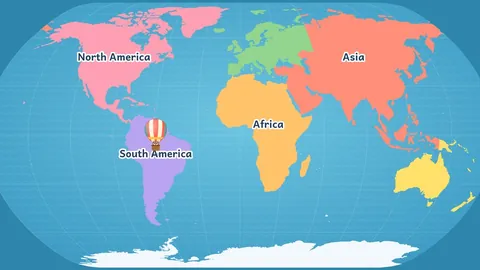
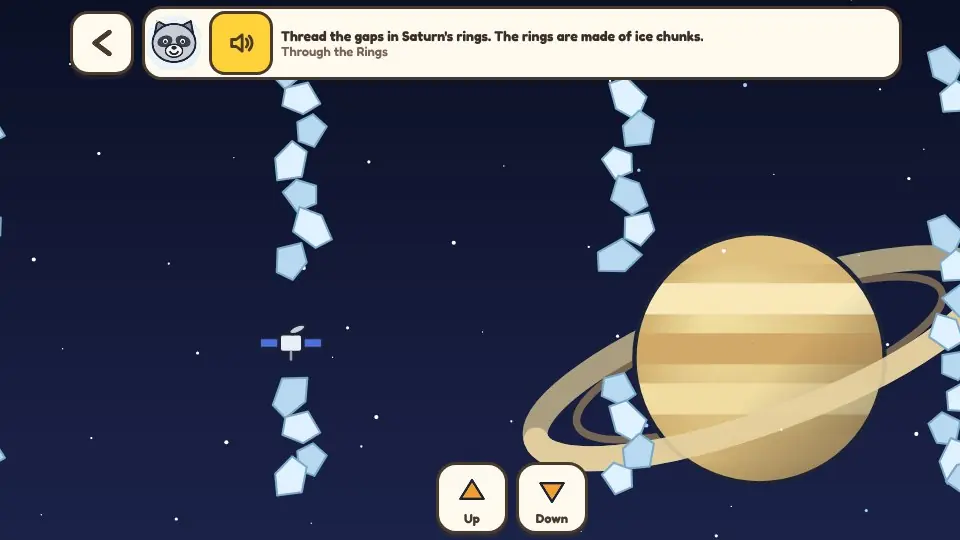
Build a rocket, count down, and press the big launch button. Then pick a world on the map. Land softly on the Moon, drive a rover on Mars, thread the rings of Saturn and photograph the heart on Pluto. Every mission is short, gentle and built on a true fact, and every finished world adds a room to your space station.
This is our guide to playing Starhop Station. Want to jump straight in? Play Starhop Station right here in your browser.
Quick answers
Does Starhop Station work on a tablet or phone?
Yes. It plays with touch on tablets and phones, and with a mouse on a computer. There is nothing to download.
Do kids need an account to play Starhop Station?
No. Our learning games have no accounts at all, so there is nothing to sign up for. Progress and stickers stay on the device they play on.
What your child practices
- The planets in order: the map opens outward from Earth, and a Space Lab round asks which planet comes next.
- Size and distance: each star log page draws the world next to Earth and shows how far it is from the Sun.
- Gravity: the lander falls faster or slower on different worlds, and the log shows what a 100 pound pretend astronaut would weigh there.
- Day, night and the Moon: find city lights on the night side of Earth, and see today's real Moon phase in Tonight's Sky.
- How rockets work: more fuel goes farther but weighs more. Older children balance a push bar against a weight bar.
How to play
- Tap Blast off. In the workshop, add tanks, engines, fins and paint, then tap the green button.
- Watch the countdown and press the big Launch button at zero.
- Pick a world on the map, then pick a mission. Nova the raccoon reads a true fact on the way there.
- Fly the mission. Hold Thrust to land softly, steer through gaps, drive the rover, or point the camera and tap Snap.
- Finish every mission at a world to add a room to the station and fill its star log page.
Two ways to fly
Helper on is for younger children. Nova keeps the craft on a safe path and one big Go button does the next small step. Pilot gives full control: left and right, up and down, thrust and a rover to drive. Landings are forgiving in both. A bump just bounces the lander back up for another try, and nothing can be lost.
The worlds and missions
There are 30 missions at 13 places: Earth, the Moon, Mars, Venus, Mercury, the Sun (seen from far away through a safe filter), the asteroid belt, Jupiter, Saturn, Uranus, Neptune, Pluto and deep space. Moons such as Europa, Titan and Enceladus have missions of their own. Five Space Lab rounds ask friendly questions about order, size, hot and cold, floating and the length of days and years. A wrong tap only gets a kind hint.
Reasons to come back
- The station grows: a greenhouse, an observatory, a rover garage, sleeping pods and more, one room for each finished world.
- The star log: a page for every world with three facts read aloud and the patches your child earned.
- Tonight's Sky: the Moon's phase for today, a planet and a star picture to know, and an idea for looking outside with a grown-up.
- New rocket parts: more tanks, engines and paint colors arrive as missions are finished.
For parents and teachers
Everything is read aloud, so non-readers can play. There are no timers, no lives and no way to fail a mission. Progress is saved on the device for up to three children. The facts come from NASA pages and are listed with their sources in the game notes. Counts that change, such as the number of moons, are worded as "more than 90" so they stay true.
Questions
Is Starhop Station free and safe?
Yes. It is free with no purchases and no accounts. Nothing is collected and progress stays on the device.
Are the space facts accurate?
We wrote them from NASA's planet pages and fact sheets and checked the ones that change, such as moon counts, in November 2026. Where a number keeps growing we say "more than" so the line stays true.
What does it teach?
The order of the planets, how big and how far away they are, how gravity differs from world to world, why we have day and night, the phases of the Moon, and how a rocket balances push against weight.
What ages is it for?
Ages 5 to 11. Helper on suits ages 5 to 7 with one big button. Pilot suits ages 8 to 11 with full controls and the push and weight bars in the workshop.
Does a child need to read to play?
No. Nova the raccoon reads every instruction and every fact aloud, and a speaker button repeats the last line.
Can a mission be failed?
No. A hard landing bounces back up for another try and gets easier each time. A missed gap is a soft bump. A rover left alone gets a friendly push.
Why is Pluto not called a planet?
Astronomers class Pluto as a dwarf planet. The game says so, and it also shows the famous heart shape on Pluto's surface.
Is the Sun mission safe to copy?
The game shows the Sun from far away through a pretend filter and says clearly that nobody should ever look at the real Sun.
How can we keep exploring after the game?
Open Tonight's Sky, then go outside together and find the Moon. Look for the brightest steady light in the evening sky, which is often a planet, and try to find the star picture of the season.