Learning games / Acre Architects / Guide
Acre Architects
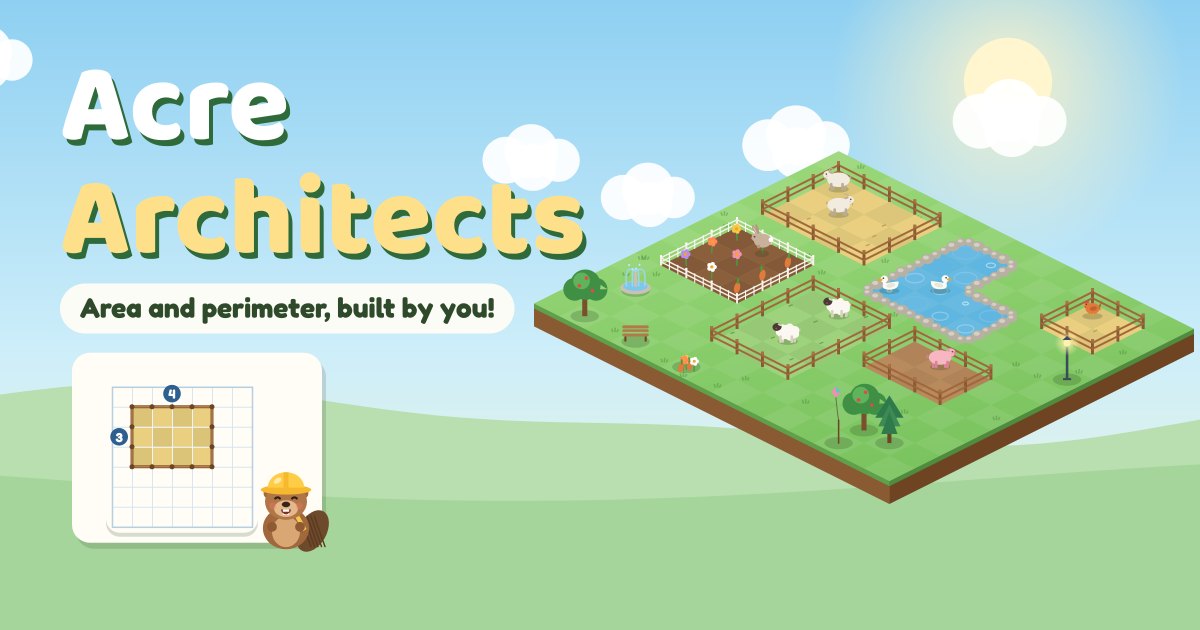
Acre Architects turns area and perimeter into a building job. Animal clients ask for homes, like a pen with an area of 24 and the shortest fence. Your child drags out rectangles on a square grid, checks the tiles inside and the fence around, and every finished design moves into a little park full of animals that keeps growing on your device.
Quick answers
Is Acre Architects free?
Yes. Acre Architects is free to play in the browser, with no ads, no accounts and no tracking. There is nothing to buy and nothing to download.
Does Acre Architects work on a tablet or phone?
Yes. It plays with touch on tablets and phones, and with a mouse on a computer. There is nothing to download.
Do kids need an account to play Acre Architects?
No. Our learning games have no accounts at all, so there is nothing to sign up for. Progress and stickers stay on the device they play on.
What your child practices
- Area by counting square tiles, then by multiplying side lengths, rows times columns (3.MD.5, 3.MD.6, 3.MD.7).
- Perimeter as the fence all the way around, first by counting fence pieces and then by adding the four sides (3.MD.8).
- Same area, different perimeter and the reverse: which pen of area 24 needs the least fence, and which shape with 20 fence pieces holds the most (3.MD.8).
- Missing side lengths from the area or from the perimeter, like a pen 6 wide with an area of 42 (3.MD.8, 4.MD.3).
- L shapes: splitting a shape into two rectangles and adding their areas (3.MD.7c and 3.MD.7d).
- Scaled bar graphs where each square means 2, 5 or 10 visitors: reading a bar, how many more, how many in all, and which is most (3.MD.3).
How to play
Tap Start building and pick a crew: New Builder for ages 8 and 9, or Master Builder for ages 10 and 11, which starts with side lengths. A day of building is five short jobs, one of them a visitor graph. Dot the beaver, the site boss, gives tips along the way.
Read the request, then drag across the grid to build. The plus and minus buttons fix the width and the length, and arrow keys work on a keyboard. Early jobs show live counters for the area and the fence. Later jobs rest the counters, so your child works out the area from the side lengths, types it on the number pad, or finds a missing side.
When a build is not right, Dot shows why: the rows are counted one by one, the fence is walked side by side with a running sum, or an L is split into its two rectangles. Then your child fixes it straight away. A second miss shows a dashed guide or the full working, so nobody gets stuck.
Some jobs ask for the best shape. A small notebook keeps every pen your child tried with its area and fence, so patterns are easy to spot, like shapes closer to a square needing less fence.
Visitor Board
Park visitors are counted on a bar graph with a key, such as each square means 2 visitors. Your child answers three questions by typing a number or tapping a name. Every right answer adds a decoration to the park, like a fountain, a bench or a kite stand. The Visitor Board can also be played on its own from the title screen.
What grows over time
Every design your child finishes becomes a real place in an isometric park, at the exact size and shape they built: goats and cows in pens, bunnies and hedgehogs in gardens, ducks in L-shaped ponds. Tiny animals wander, hop and swim, and the land grows as the park fills up.
Tap any home in My Park to see its plan again: its size, its area and its fence. The park is saved on your device, so it is there next time.
How it adapts
Each skill has its own level. New skills open only after the ones before them are steady, numbers grow and counters hide as your child gets things right, and a miss lowers that skill a little. Missed requests are saved and come back a couple of jobs later for another try. Nothing is timed.
For grown-ups
Press and hold For grown-ups on the title screen to see each skill with its standard and level, how many jobs were right on the first try, and how many missed requests are waiting to come back. You can change the starting crew, pick a reading voice or start over.
Tips
- Area counts the tiles inside. Perimeter counts the fence around the edge.
- Count area by rows: 4 rows of 6 is 6, 12, 18, 24.
- For the fence, add all four sides, not just two.
- For the least fence, try shapes closer to a square.
Tips for grown-ups
- Ask how many square tiles would cover a rug, then how much ribbon would go around it.
- Draw two rectangles with the same area on squared paper and compare their fences.
- Look for bar graphs in books or news and ask what one square stands for.
Privacy and safety
No ads, no accounts, no chat and no tracking. Progress and the park are saved only on this device. Sound and read-aloud start only after a tap, and there is a mute button.
Questions
What age is Acre Architects for?
Ages 8 to 11, about Grades 3 and 4. New Builders start by counting tiles and fence pieces. Master Builders start with side lengths, and harder jobs like missing sides and L shapes open as they go.
Can my child just read the answer off the screen?
Only at the start. Live counters show on early jobs, then they rest, so your child has to multiply the sides, add the fence or split the shape and type the answer.
What happens after a mistake?
Dot the beaver shows why with the rows counted, the fence walked or the shape split, and your child tries again right away. The same kind of request comes back a couple of jobs later.
Does it read aloud?
Yes. Requests and questions can be read aloud with the speaker button, using the voices already on your device.
Is there a timer?
No. There are no timers, streaks or daily rewards. A day of building is five short jobs, and the park is always there to visit.