Learning games / Tumbleberry Town / Guide
How to play Tumbleberry Town
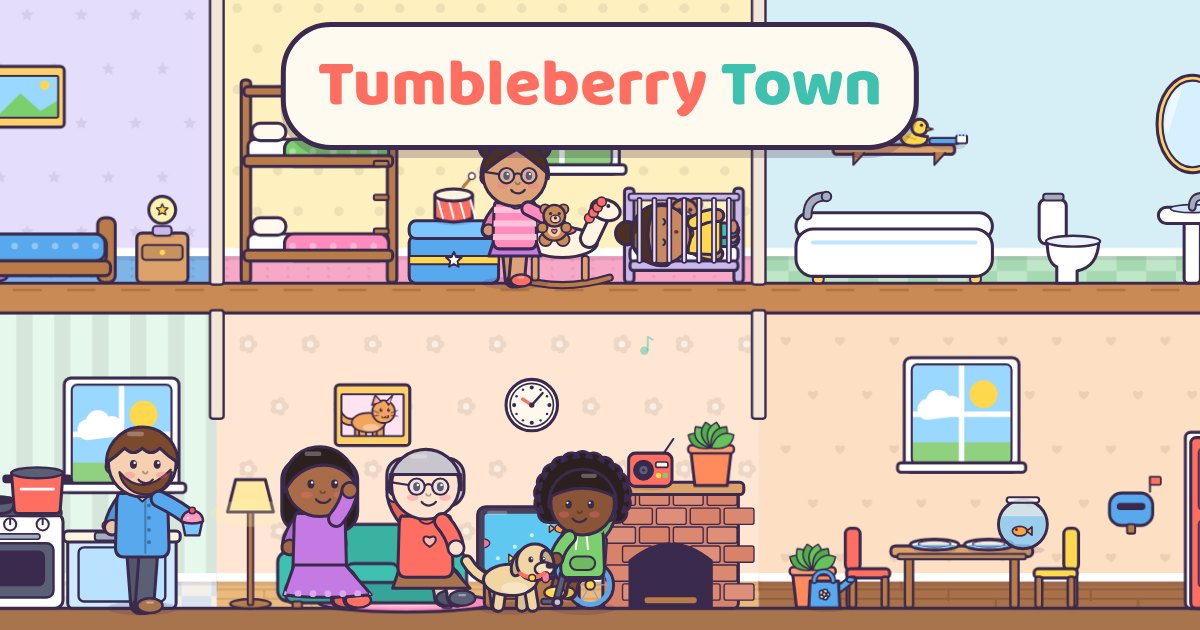
Tumbleberry Town is a digital dollhouse your child runs. There is no score, no timer and no way to lose. Children make their own friends, carry them between a home, a cafe, a park, a clinic, a salon, a market and a school, and make up whatever story they like: a birthday party, a trip to the vet, a rainy day at the park. Every single thing in town does something when it is tapped, and 44 hidden surprises fill a Discovery Book over time.
This is our guide to playing Tumbleberry Town. Want to jump straight in? Play Tumbleberry Town right here in your browser.
Quick answers
Does Tumbleberry Town work on a tablet or phone?
Yes. It plays with touch on tablets and phones, and with a mouse on a computer. There is nothing to download.
Do kids need an account to play Tumbleberry Town?
No. Our learning games have no accounts at all, so there is nothing to sign up for. Progress and stickers stay on the device they play on.
What your child practices
Tumbleberry Town is open-ended pretend play, not a quiz. The learning comes from the stories children invent and the small everyday moments they act out:
- Creativity and storytelling: children decide who goes where and what happens next. The Idea button offers a story starter when they want one, like a birthday at the cafe or a pet that needs a checkup.
- Feelings and caring: friends show feelings on their faces. Children can pick how a friend feels from eight feelings faces (each one read aloud), comfort a friend who bumped a knee with a bandage, share a snack, or drop one friend onto another for a hug.
- Everyday routines and sequencing: cook food before eating it, brush teeth before bed, check out at the market before carrying the bag home.
- Cause and effect: turn on the stove to cook, water a plant until it blooms, make it rain to see a rainbow.
- Light learning woven in: counting out loud at the register, during tidy up and on the height chart; color words for hair dyes, gumballs, flowers and the xylophone; letters on blocks and the eye chart; six little picture books that read aloud; and the name of anything a child taps, read aloud.
Every friend can be made to look like your family: eight skin tones, many hair styles and colors, glasses, hearing aids, a wheelchair, a running leg and a cane, plus pets.
How to play
Tap Play. Drag any friend or thing anywhere: onto a chair to sit, a bed to sleep, a slide to whee. Drop food on a friend to eat it, clothes to wear them, and a tool to use it. Tap anything to see what it does. Big buttons sit in the corners so the middle stays free for play.
The seven places
| Place | What to try |
|---|---|
| Home | Six rooms over two floors: cook in the kitchen, watch TV, dance to the radio, take a bubble bath, tuck friends into bed, ring the doorbell. Design button changes wallpaper, wall colors, floors and furniture. |
| Crumb Cafe | Bake bread and cakes in the oven, flip pancakes, blend smoothies, cook soup, chop fruit, light birthday candles. |
| Puddle Park | Swings, slide, seesaw, a sandbox to dig in, a pond with ducks and a frog, an apple tree, rain clouds and a sun that turns into the moon. |
| Cuddle Clinic | A clinic for people and pets: x-ray, height chart, eye chart, stethoscope, bandages and a vet table. |
| Twirl Salon | Hair colors, scissors and grow tonic, curls, a dryer, a clothes rack, hats, glasses, face paint and a costume trunk. |
| Tumble Market | Fruit stands that never run out, a bakery shelf, a register that counts out loud, a shopping cart friends can ride in. |
| Story School | Picture books that read aloud, a chalkboard to draw on, a rainbow xylophone, letter blocks, a class hamster and a telescope. |
Moving between places
Drag friends and things onto the Pocket button, then tap Map and pick a place. Everything in the pocket comes along. The map shows little faces of who is where, and the Friends button lists everyone, so nobody gets lost. Tap a friend in the list to bring them to you.
Surprises and the Discovery Book
There are 44 hidden surprises, like a kitten hiding in the toy chest, a duck that pops out of the toilet, buried treasure in the sandbox, a golden gumball and a shooting star seen through the telescope at night. Each one adds a sticker to the Discovery Book. Locked spots have a hint your child can hear. There are no streaks, no timers and nothing to lose by stopping.
Every few surprises also earn a sticker for the shared Sticker Book used across our learning games.
Worlds for brothers and sisters
Up to four named worlds can live on one device. Each world keeps its own friends, rooms, surprises and photos, so siblings can each have their own town. Deleting a world needs a press and hold, then a second check.
For grown-ups: the corner
Press and hold For grown-ups on the start screen or at the bottom of the Discovery Book. It shows which places were explored, friends made, surprises found, snacks shared, books read and story ideas tried, and lets you turn off read-aloud names or the gentle hints and pick the reading voice.
Tips for grown-ups
- Sit beside your child and ask, "What happens next?" Then let them act it out.
- Name feelings together: "How does Pip feel? Why do you think so? What could help?"
- Count the things in the bag before checking out at the market.
- Act out a real event before it happens, like a doctor visit or the first day of school.
- Let older children design a room for each family member and tell you why.
Privacy and safety
Everything in Tumbleberry Town is included: there is no store, no ads, no accounts, no chat, no sharing and no microphone. Worlds and photos are saved only on this device, and nothing is sent anywhere.
Questions
What age is Tumbleberry Town for?
Ages 4 to 10. Four year olds drag, tap and explore with everything read aloud. Older children design rooms, make detailed characters, cook multi-step recipes, hunt for all 44 surprises and tell longer stories.
Is there a goal or a way to lose?
No. It is open-ended pretend play like a dollhouse. There are no timers, scores or game over screens. The Idea button and the Discovery Book give gentle direction when children want it.
Are any places or items locked?
No. All seven places, every friend option and every item are available from the start, with nothing to buy.
Will my child lose their town?
Worlds save on this device as your child plays. Clearing the browser's site data will remove them, so use the same browser on the same device.
Is Tumbleberry Town free?
Yes. It's free with no ads and no purchases, and there's nothing to download.