
Games / Mahjong Full Screen
Mahjong full screen, free online
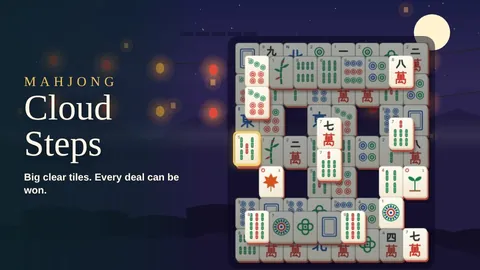
Mahjong Cloud Steps plays full screen. Tap the Full screen button at the top of the board, or press F on a keyboard, and the mahjong board fills your whole screen. Tap it again or press Esc to come back. It is free, and there is nothing to download.
Mahjong with a full screen button
1 game
More tile matching
Threes, pairs and a carousel · 4 games
 10 minSaves
Carousel Tiles
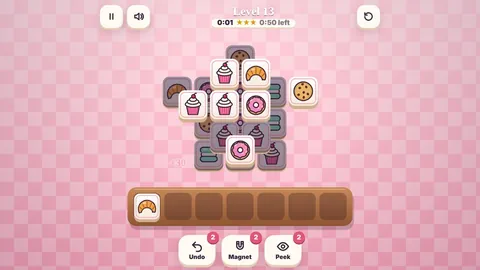
Mahjong 3DMahjong pairs wrapped around a spinning carousel. Spin it, match free tiles and light up the ride as the painted horses appear.

How to go full screen
- On a computer: tap the Full screen button at the top of the board, or press F. Press Esc or the button again to leave.
- On a tablet or Android phone: the same button is at the top of the board.
- On an iPhone: iPhones don't allow full screen for web pages, so we suggest Bigger tiles in the menu instead.
Bigger, clearer tiles
Full screen is one way to see the tiles better. There are others. Pick Large print or High contrast under Tile faces in the pause menu, turn on Large tiles so big boards zoom in, or hold your finger on a tile to see a big copy of it. On a phone, the Blossom, Teacup, Lantern, Lotus and Tea house boards all have big tiles.
The same classic game
Full screen changes the size, not the game. Match two free tiles with the same face to clear them, and clear the whole board to win. The 144 tile Turtle is here, every deal can be won, and Hint, Shuffle and Undo are free and unlimited.
New to the Turtle? Start at classic mahjong, or see all our mahjong games.
Questions
Can I play mahjong solitaire full screen for free?
Yes. Tap the Full screen button at the top of the board or press F on a keyboard. The game is free and plays in your browser.
How do I leave full screen?
Tap the button again or press Esc.
Why is there no full screen on my iPhone?
iPhones don't allow full screen for web pages. Use Bigger tiles in the menu, or pick one of the small boards with big tiles.
Can I make the tiles easier to read?
Yes. Choose Large print or High contrast under Tile faces in the pause menu, or turn on Large tiles so big boards zoom in.