Games / Puzzle Games / Frost Pairs / Guide
Frost Pairs
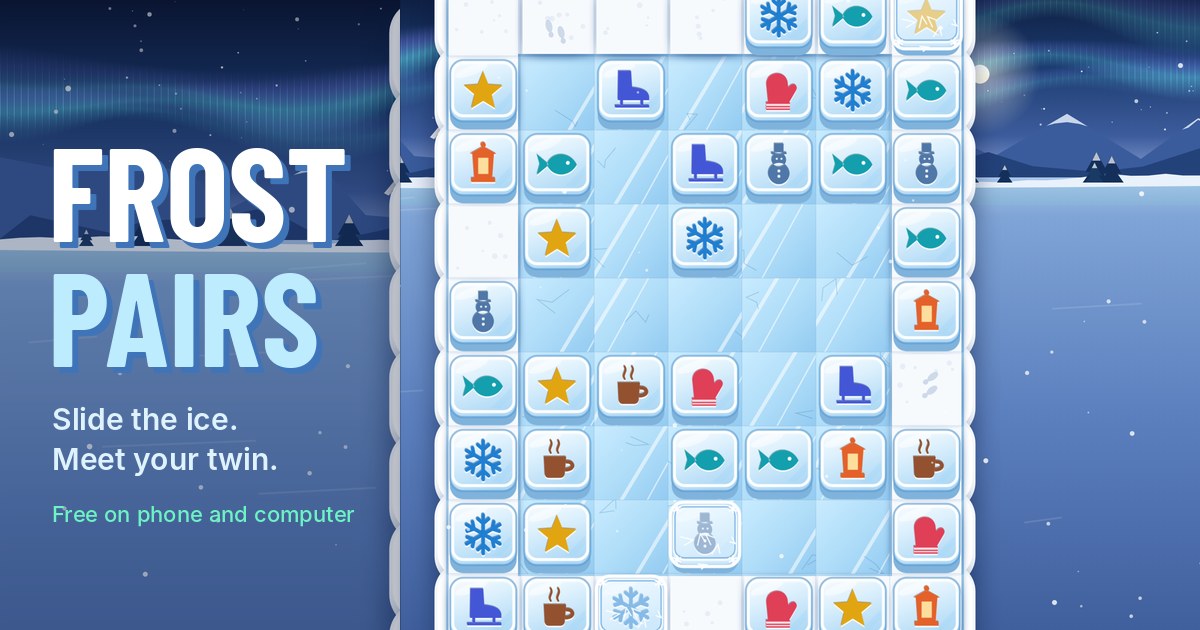
Frost Pairs is a pairing puzzle on a frozen pond. Two carved tiles that match melt away when they can see each other in a row or column, and you get them there by sliding tiles across the ice. The twist is the floor: tiles stop where you leave them on snow, but on ice they keep gliding.
Quick answers
Does Frost Pairs work on my phone?
Yes. Frost Pairs works with touch on phones and tablets, and with a mouse or keyboard on a computer. It runs in the browser you already have, so there is no app to download.
Do I need an account to play Frost Pairs?
No. Just open it and play, with no sign-up. If you like, a free account (username only, no email, for players 13 and older) puts your scores on the leaderboards and backs up your progress so it follows you to any device.
Is there a daily challenge in Frost Pairs?
Yes. Frost Pairs has a new daily challenge every day, the same one for every player, with its own daily leaderboard. Find it alongside the others on our daily challenges page.
Is Frost Pairs OK for kids?
Yes, players of any age can enjoy it. There is no chat and no way to message other players, and nobody needs an account to play. Accounts are for players 13 and older, so younger players just play and their progress stays on their device. For ages 4 to 11 we also have learning games in their own kids area, with no ads, no accounts and no tracking.
What is Frost Pairs?
Slide pairs puzzles are a quiet favourite with people who like mahjong solitaire. The grid is mostly full of tiles, every tile has a twin, and you clear the grid by moving tiles, as long as every move ends with a match.
In Frost Pairs the grid is a frozen pond under a pale aurora, and the tiles are blocks of ice with snowflakes, mittens, robins, bells and frost numbers carved into them. It's free, runs in your browser on a phone, tablet or computer, and there's nothing to download.
For more pairing puzzles, including classic and 3D mahjong solitaire, see our mahjong games page.
How to play
- Match twins. Two tiles with the same carving melt in a puff of snow when they share a row or column with nothing but open floor between them. Touching counts. Tap one, then the other.
- Slide to line up. Drag a tile along its row or column. It pushes every tile in front of it, like a little train. You can also tap a tile and then tap an empty cell in its row or column.
- A slide only stays if it makes a match. If your tile ends in line with its twin, the slide is kept and the pair melts at once. If not, everything springs back and nothing is spent, so you can try ideas freely.
- Read the floor. On packed snow (matte white, with boot prints) a tile moves exactly as far as you drag it. On ice (glossy blue) it keeps gliding until it hits a tile, a snowbank or the edge, or reaches snow.
- While you drag, dashed outlines show where every pushed tile will stop, and the twin your tile will line up with glows green.
Every move removes one pair, so a pond with 20 pairs takes 20 moves when nothing goes wrong. That number is the pond's par.
Controls on phone and computer
On a phone or tablet you drag or tap. With a mouse it works the same way. On a keyboard, the arrow keys move a frost ring around the pond, Enter or Space picks the tile under it, then a twin or an empty cell to slide to. U is undo, H is a hint, T is thaw and Esc pauses.
Turn your phone sideways and the pond turns with it. Settings has a high contrast mode and a large pieces mode.
Ice, snow and the other pieces
The first ponds are all snow so you can learn the slide. New pieces arrive every 8 to 12 levels, each with a small, gentle pond that shows it off first.
| Piece | What it does | First seen |
|---|---|---|
| Ice | A tile that moves onto ice glides until something stops it | Level 10 |
| Four of a kind | Some carvings come in fours, so you choose which twins pair up | Level 18 |
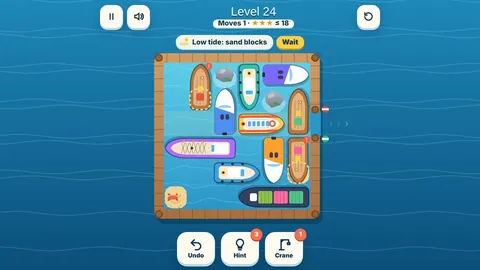
| Snowbanks | Fixed drifts that never move. Tiles stop against them and they block a twin's view | Level 24 |
| Frozen tiles | Can't move or match until a match happens in one of the eight cells around them | Level 41 |
| Thick frost | Needs two matches next to it | Level 52 |
| Snowballs | Can be pushed. They glide on ice and stop on snow, and they never match | Level 71 |
| Holes | A tile pushed onto a hole drops under the ice and stays there until a match happens right next to the hole | Level 101 |
| Tiles below | Some ponds start with tiles waiting under the ice. Match the tile on top to bring them up | Level 112 |
A snowball pushed into a hole fills it for good. After Cabin Cove the shores mix everything, with checker ice, rings of ice around a snowy middle, long ice lanes and rinks that are almost all glass.
Stars, helpers and getting stuck
A clean clear, with no Undo or Shuffle, earns 3 stars. Each undo adds one extra move and each shuffle adds two. Up to 30 percent extra still earns 2 stars, and any clear earns 1. The free hint, the free Put back, Thaw and looking at the drag preview cost no stars. The results screen tells you why, for example Clean clear or Used 2 undos.
- Hint shows a move that still leads to a clear. One is free on every pond.
- Undo takes back your last move. The first one on each pond is a free Put back.
- Thaw clears the frost off one frozen tile of your choice.
- Shuffle deals the carvings left on the pond over the same cells. It always leaves a pond that can be cleared.
If no match and no kept slide is left, the game tells you and offers a free shuffle, an undo or a restart. There are no lives and no timers, so being stuck never ends anything. Helpers are earned in play from Today's Goals, the village and snow globes, and only used when you tap them.
Daily Pond and Ice Festival
The Daily Pond is the same pond for everyone on the same day (it changes at midnight UTC). Your first clear of the day is the one that counts for the leaderboard and your streak. Replays that day are practice. Miss a single day in a week and we keep your streak going anyway.
| Daily Pond score | Points |
|---|---|
| Each pair | 25 |
| Clearing the pond | 900 |
| Each move under par (the pairs plus 4) | 30 |
| Each slide match | 20 |
| No Hint, Undo, Thaw or Shuffle | 300 |
Every week there is also an Ice Festival pond shaped like a picture: a snowflake, a mitten, a heart, a pine tree, a star, a bell, a skate or a cocoa cup. Clear it for a festival stamp and a snow globe. The all-time board is your total stars from the 300 ponds.
The winter village and snow globes
Every pond you clear helps a little village grow on the shore behind the pond: a cabin with smoke from the chimney, a lantern path, a snowman, a skating rink, a cocoa stand, a sleigh and more, 22 pieces in all. You can see it at the top of the screen while you play. Each new piece pays one helper.
There are 40 snow globes to collect. You earn one for every three new 3-star ponds in a row and one for each Ice Festival you clear. Tap a globe in your collection to shake it and watch the snow swirl.
Tips and strategy
- Before you touch anything, look for ice. A tile on a long lane of ice can reach the far side of the pond in one push, which is often the easiest way to meet a twin in another row.
- On ice you can't stop halfway, so plan with what will stop the tile: another tile, a snowbank, the edge, or the first snowy cell.
- When a carving comes in fours, think about which twin is hardest to reach and pair that one first.
- Frozen tiles thaw from matches next to them, corners included. Clear the pairs around a frozen tile early, before its neighbours drift away.
- Push snowballs toward the edges or into holes. A snowball in the middle of a row blocks every twin behind it.
Questions
Is Frost Pairs free?
Yes. It's free to play in your browser on a phone, tablet or computer, with no download and nothing to buy.
Can every pond be cleared?
Yes. Every one of the 300 ponds, every Daily Pond and every Ice Festival pond was checked by a solver before it shipped, and a shuffle always leaves a pond that can still be cleared.
Why did my tile slide back?
A slide only stays if the tile you dragged ends in line with its twin, with nothing between them. Otherwise it springs back and costs nothing.
How do I thaw a frozen tile?
Make a match in any of the eight cells around it. Thick frost needs two. You can also use the Thaw helper on any frozen tile.
Does my progress save?
Yes. The pond you're on is saved after every move, so you can close the tab and pick up exactly where you left off.