Games / Puzzle Games / Mossnook Jigsaw / Guide
Mossnook Jigsaw
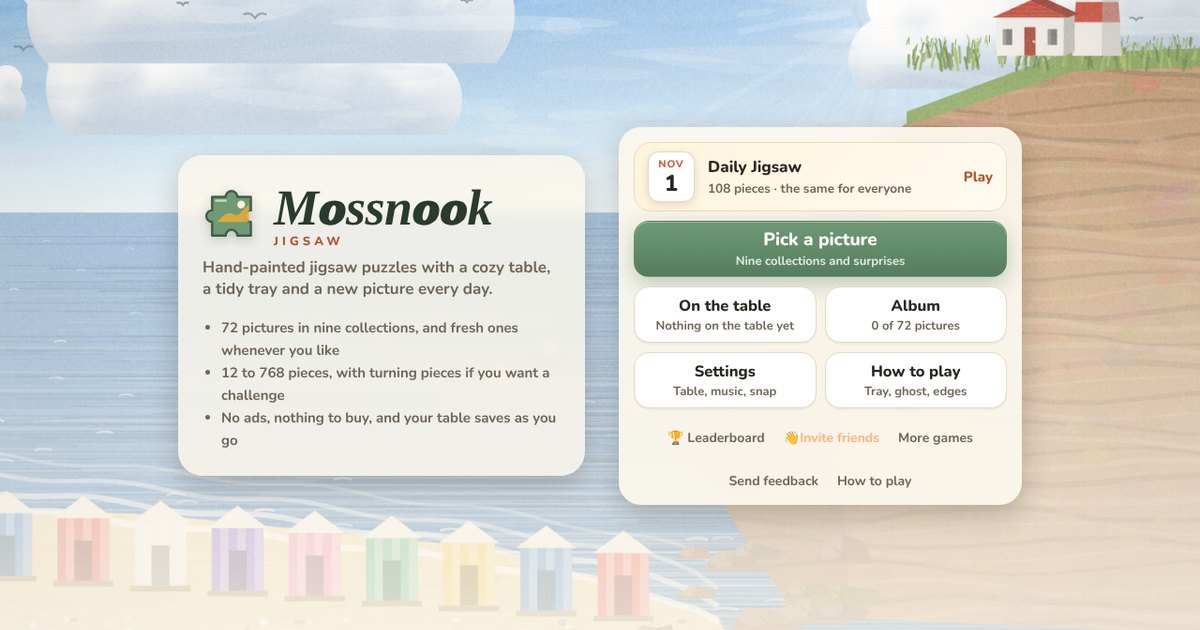
Mossnook Jigsaw is a calm jigsaw table you can open on a phone or a computer. Pick one of 72 painted pictures, choose how many pieces you want, and fit them together while the table remembers every piece for you.
Quick answers
Do I need an account to play Mossnook Jigsaw?
No. Just open it and play, with no sign-up. If you like, a free account (username only, no email, for players 13 and older) puts your scores on the leaderboards and backs up your progress so it follows you to any device.
Is there a daily challenge in Mossnook Jigsaw?
Yes. Mossnook Jigsaw has a new daily challenge every day, the same one for every player, with its own daily leaderboard. Find it alongside the others on our daily challenges page.
Is Mossnook Jigsaw OK for kids?
Yes, players of any age can enjoy it. There is no chat and no way to message other players, and nobody needs an account to play. Accounts are for players 13 and older, so younger players just play and their progress stays on their device. For ages 4 to 11 we also have learning games in their own kids area, with no ads, no accounts and no tracking.
What is Mossnook Jigsaw?
It's a classic jigsaw puzzle, the kind with knobs and holes that lock together, set on a soft felt table. Every picture in the game was painted in code by us, so you won't find the same scenes anywhere else: harbor towns, mountain lakes, quilts, stained glass windows, shelves of sweets and a lot more.
We built it to fix what spoils most jigsaw apps: no ads between pieces, no pictures locked away, no coins. Pieces can't get lost off the edge of the table or stuck under a big group. It's free, it runs in your browser on a phone, tablet or computer, and there's nothing to download.
How to play
- Tap Pick a picture, choose a collection, then choose a picture.
- Pick a size, from 12 pieces up to 768, and decide whether you want Turn the pieces on.
- Drag pieces onto the board in the middle of the table. When a piece is close to its true neighbour, or to its own spot on the board, it clicks into place.
- Pieces that have joined move together as one group, so you can build a corner off to the side and slide it in later.
- Place the last piece and the seams fade away while the finished picture glows. It goes into your album.
A piece only ever joins its real neighbours. If it doesn't click, it doesn't belong there, so you never have to wonder whether a fit is right.
Controls on a phone and on a computer
- Move a piece: drag it. A quick flick sends it gliding a little way.
- Zoom: pinch on a phone or tablet. On a computer use the scroll wheel or a trackpad pinch. Double tap or double click the empty table to zoom in, and do it again to see the whole board.
- Look around: drag the empty table. It keeps drifting a little when you let go.
- Turn a piece: with turning on, tap a piece to turn it a quarter. On a computer you can also right click it, or press R with the mouse over it.
- Keys: G ghost, E edges, T tidy, B box, F fit, + or = to zoom in, _ to zoom out, arrow keys pan, Esc back.
Drag a piece near the edge of the screen and the table slides along with you, which helps on a big puzzle on a small screen.
The tools along the bottom
| Tool | What it does |
|---|---|
| Box | Shows the picture in a small panel, like the lid of a real box. Tap it to see the picture big. |
| Ghost | Lays a faint copy of the picture on the board, so you can see where things go. |
| Edges | Hides everything except edge pieces, on the table and in the tray. |
| Tidy | Lays every loose piece out around the board in neat rows, edge pieces first, so nothing hides under anything. |
| Gather | With the tray on, sends loose pieces back into it. With the tray off, brings every loose piece into the part of the table you're looking at. |
| Tray | Turns the piece tray on or off. |
| Fit | Shows the whole table. Tap again to fill the screen with the board. |
The piece tray
The tray is a strip along the bottom of the screen (or down the side when the screen is wide) that holds pieces you haven't used yet. Swipe along it to scroll, drag a piece out onto the table, or tap one to drop it in the middle of your view. You can drag a loose piece back in too. The sort button cycles between Mixed, Edges first and By colour, which groups sky pieces, grass pieces and so on. On phones the tray is on from the start, because it keeps tiny pieces off a crowded table.
How many pieces, and turning pieces
| Device | Sizes you can pick |
|---|---|
| Phone | 12, 24, 48, 70, 108, 140 or 192 pieces |
| Tablet | Up to 432 pieces |
| Computer | Up to 768 pieces |
Every puzzle is cut fresh with its own pattern of knobs, and no two cuts are the same. The corners wander a little and every knob has its own size, neck and lean, just like a real cardboard puzzle.
Turn the pieces starts each piece facing a random way. Tap to turn it. Two pieces only join when they face the same way, and a piece only locks onto the board once it's upright, so it adds a real extra layer without making anything unfair.
The pictures
There are 72 pictures in nine collections of eight: Countryside, Mountains and Lakes, By the Sea, City Lights, Woods and Gardens, Night Skies, Quilts and Glass, Tiles and Mosaics and Still Life. Every one is open from the start.
Want something new? The Something new tab paints a picture you've never seen, mixing scenes, seasons, times of day and colours. Before it hands one over, the game checks that every part has enough detail to tell the pieces apart.
Daily Jigsaw and leaderboards
The Daily Jigsaw is a 108 piece puzzle, 12 by 9, with the same new picture and the same cut for everyone. It changes at midnight UTC. The timer runs while you're actually playing: it stops when you leave the tab, and it pauses if you walk away for two minutes.
Your first finish of the day goes on the daily board, where the fastest time ranks highest. Replays are just for fun, and finishing in a second tab or after midnight never posts twice. A daily you started before midnight still counts for the day it began. There's also an all time Pieces placed board that adds up every piece in every puzzle you finish.
Leaderboards need a free account on the site. Without one you can play everything, and your album and puzzles stay on your device.
Your table, your album and saving
Everything saves as you go, down to the exact spot of every piece, which way it faces and the order of your tray. Close the page and come back and your table is just as you left it. You can keep up to 8 puzzles on the table at once and switch between them from On the table. If you sign in, your table and album follow you to your other devices.
Finished pictures go into your Album, sorted by collection, along with your best time for each size. Finished dailies have their own page.
Tips for faster, calmer puzzles
- Start with Edges on and build the frame. The four corners have two flat sides and are the easiest pieces to place.
- On a phone, sort the tray By colour. Sky, water and grass pieces line up together, which turns a big puzzle into a few small ones.
- Build groups off to the side. A row of five joined pieces is far easier to place than five single ones.
- Use Tidy whenever the table gets messy. It puts edges first and never covers a group you've built.
- Look at shapes as well as colours. A knob that leans left will only fit a hole that leans the same way.
- Turn Ghost off once you know the picture. Without it, the board is easier to read at a glance.
Settings
Pick from seven table colours, from moss felt and walnut to linen and midnight. You can turn on a slow, quiet tune that's made as you play, turn the clicks on or off, hide the timer, choose whether new puzzles start in the tray, and set how close a piece needs to be before it snaps (Gentle, Normal or Strong). If you'd rather only edges and pieces touching the picture lock to the board, turn off Place pieces anywhere.
Questions
Is Mossnook Jigsaw free?
Yes. Every picture and every size is open to everyone, there are no ads, and there's nothing to buy.
How many pieces can I do on a phone?
Up to 192 on a phone, up to 432 on a tablet and up to 768 on a computer. The tray, zoom and edge filter make the big ones easy to handle on a small screen.
Can I rotate the pieces?
Yes. Turn on Turn the pieces when you start a puzzle. Tap a piece to turn it, or right click it on a computer.
Does it save my puzzle?
Yes, all the time. Every piece stays exactly where you left it, and you can keep up to 8 puzzles going at once.
When does the Daily Jigsaw change?
At midnight UTC. Everyone gets the same picture and the same cut, and your first finish of the day is the one that counts.
Where do the pictures come from?
We paint them in code, from landscapes and harbors to quilts and stained glass, so every picture is our own.