Games / Word Games / Inchword / Guide
Inchword
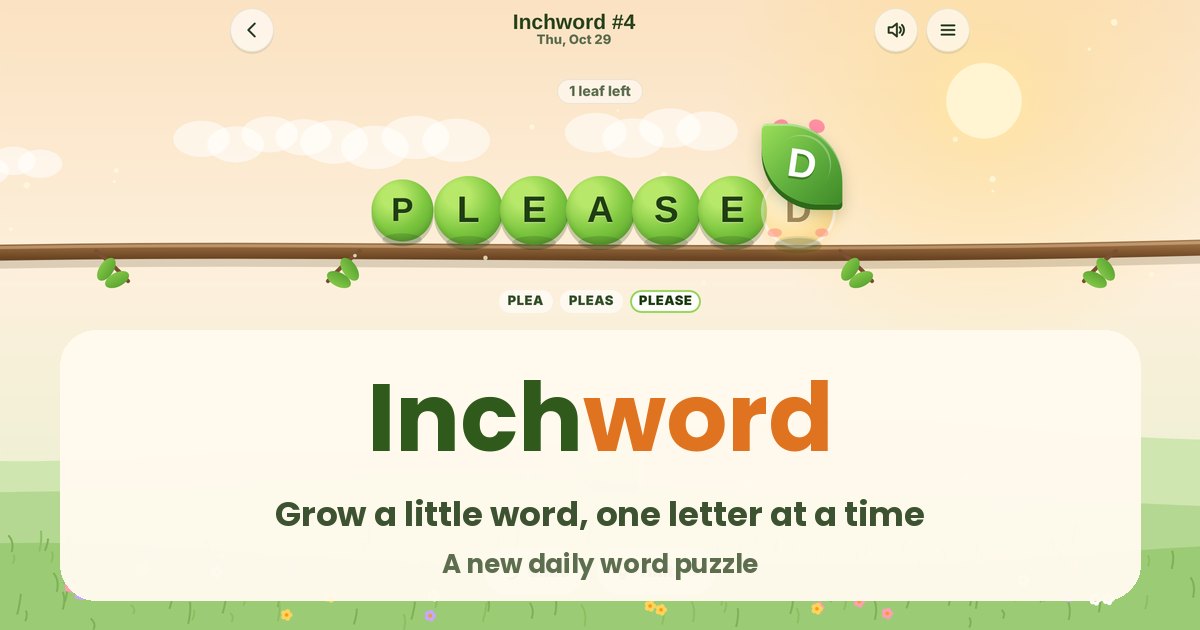
A little inchworm starts the day as a short word. You feed it letter leaves one at a time, and every bite has to make a real word. Use every leaf and it grows into something big.
Quick answers
Does Inchword work on my phone?
Yes. Inchword works with touch on phones and tablets, and with a mouse or keyboard on a computer. It runs in the browser you already have, so there is no app to download.
Do I need an account to play Inchword?
No. Just open it and play, with no sign-up. If you like, a free account (username only, no email, for players 13 and older) puts your scores on the leaderboards and backs up your progress so it follows you to any device.
Is there a daily challenge in Inchword?
Yes. Inchword has a new daily challenge every day, the same one for every player, with its own daily leaderboard. Find it alongside the others on our daily challenges page.
Is Inchword OK for kids?
Yes, players of any age can enjoy it. There is no chat and no way to message other players, and nobody needs an account to play. Accounts are for players 13 and older, so younger players just play and their progress stays on their device. For ages 4 to 11 we also have learning games in their own kids area, with no ads, no accounts and no tracking.
What is Inchword?
Inchword is our daily word puzzle. Each day starts with a short word on the back of an inchworm, like ARE, and a few letter leaves, like C, C and S. You tuck the leaves into the worm one at a time. After every leaf the worm has to spell a real word, and the letters already in the worm never move. ARE takes a C and becomes CARE, CARE takes an S and becomes SCARE, and SCARE takes the last C and becomes SCARCE.
Everyone gets the same puzzle on the same day, so you can compare with friends. It's free and plays in your browser on a phone, tablet or computer, with nothing to download.
How to play
- Look at the worm and the leaves under it.
- Tap a leaf. Little + marks appear between the worm's letters and at both ends.
- Tap the + where you want that letter to go. If the new word is real, the worm grows. If it isn't, the leaf hops back and nothing is lost but a couple of points.
- Keep going until every leaf is in. That's a full grow.
You can also drag a leaf straight onto the worm. While you drag, a pale letter shows where it would land, so you can read the word before you let go.
The order matters. Some words are dead ends: CARE could become CARES, but then there may be nowhere left for the other leaves to fit. When no leaf fits anywhere, the game tells you, and Undo takes back your last leaf.
Controls
- Phone or tablet: tap a leaf, then tap a +. Or drag the leaf onto the worm. Tapping the worm itself also works once a leaf is picked.
- Computer: click the same way, or use the keyboard. Type a letter to pick its leaf (type it again to pick a second leaf with the same letter), slide it along the worm with Left and Right, and press Enter. Number keys place it directly, with 0 meaning the front of the word. Backspace undoes and ? asks for a hint.
- The menu has How to play, Worm colors, Stats and Finish here.
The daily puzzle and scoring
A new Inchword arrives at midnight UTC. Puzzles get a little bigger through the week: most days have 3 or 4 leaves, and Sunday is the big one, usually 5. Every daily puzzle can be grown all the way using common words, though you're welcome to take a different path. Any real word in our list counts.
| What happened | Points |
|---|---|
| Each leaf tucked in | +50 |
| Full grow (every leaf used) | +100 |
| Quick finish on a full grow | Up to +60, one point less for every 5 seconds |
| Each hint | -15 |
| Each undo | -5 |
| Each try that isn't a word | -2 (never more than -30 in total) |
The clock is never on screen and it pauses when you switch away, so there's no pressure if you'd rather take your time. You can stop early with Finish here in the menu and keep the points for the leaves you placed. Your daily score posts to the leaderboard once. Replays, reloads and a second tab never post it again, and a puzzle you started before midnight still counts for the day you started it.
Hints
The first hint makes the right leaf glow. Ask again and the right + glows too. If you've already taken a path that can't use every leaf, the hint tells you how many times to undo instead. In Practice, hints and undos are free.
Streaks, rain days and past days
Finish the daily on back to back days to build a streak. Every 7 days in a row earns a rain day, and you can save up two. If you miss a day, a rain day covers it the next time you play, so one busy day doesn't wipe out a long streak.
Past days lets you play every earlier puzzle. They're just for fun: they never change your streak or the leaderboard.
Practice and worm colors
Practice gives you endless worms with free hints and undos and nothing timed. Pick a short worm with 3 leaves or a long worm with 4.
Every leaf you tuck in, in any mode, counts toward new worm colors: Peach at 12 leaves, then Sky, Berry, Honey, Lilac, Mint and Twilight, up to Golden at 400.
Tips for growing a word
- Look at the leaves before you start. Ask what long word they could all make with the start word. If you can spot the finish, working backward is easy: take one letter out at a time and check that each smaller word is real.
- Save the S for later. Adding S to make a plural is almost always possible, which makes it tempting early. But a plural is hard to keep growing, so S is usually best as one of the last leaves.
- Try both ends first. Letters at the front (S, C, T, B) and endings like -D, -R and -ED are the most common moves.
- Vowels open the middle. An E or A slipped inside often turns a short word into a longer one, like PLAN to PLANE or BRED to BREAD.
- Watch for dead ends. If a leaf fits now but nothing fits after it, undo and put a different leaf in first. Undo costs only 5 points.
- Use the preview. Dragging a leaf shows the word before you drop it, so you can read it without spending a try.
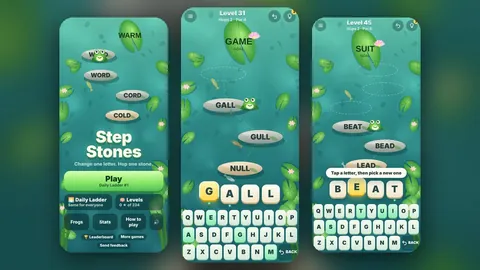
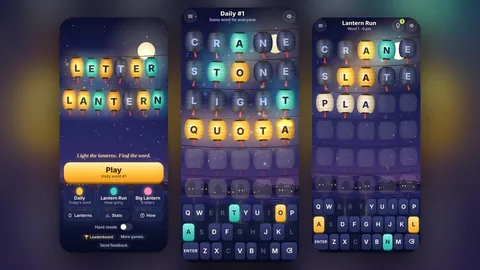
Like word puzzles? Step Stones is our daily word ladder, and Letter Lantern is a daily guessing game.
Questions
Is Inchword free?
Yes. It's free in your browser on a phone, tablet or computer, with nothing to download.
When does the daily Inchword change?
At midnight UTC. Everyone gets the same puzzle on the same day.
Can I rearrange the letters?
No. Letters already in the worm stay where they are. You can only tuck a new leaf in between them or at either end.
Is there only one right answer?
Often there's more than one. Any order works as long as every step is a real word, and the results screen shows other words the worm could have grown into.
What happens if I get stuck?
Undo your last leaf and try a different one, or ask for a hint. You can also finish early and keep the points for the leaves you placed.
Can I play old puzzles?
Yes. Past days has every earlier puzzle. They're just for fun and don't change your streak or the leaderboard.