Games / Arcade Games / Comet Hollow / Guide
How to play Comet Hollow
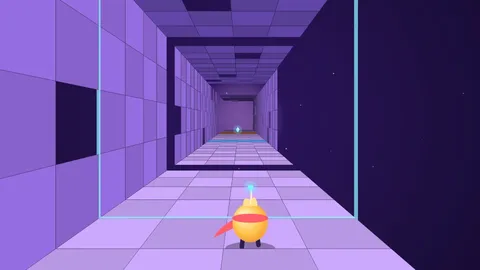
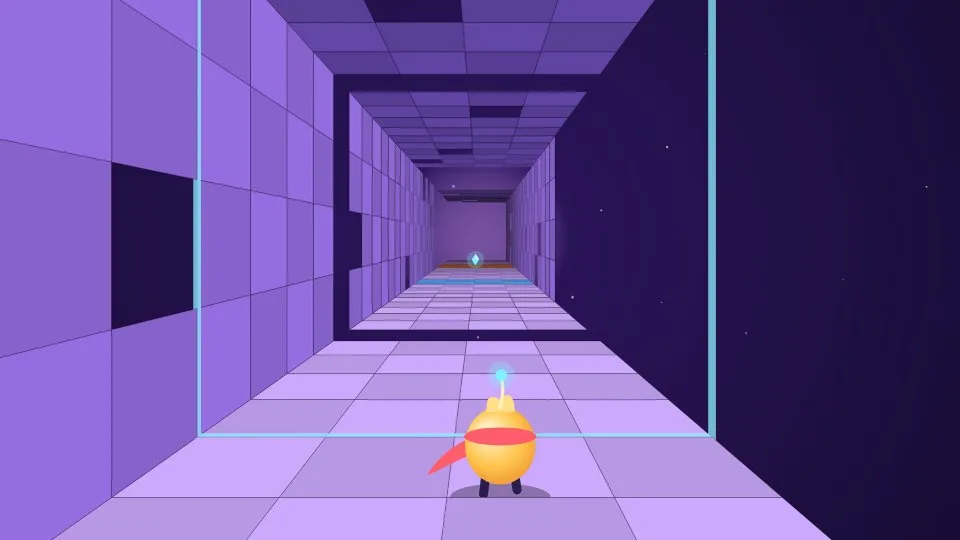
Comet Hollow is a running game set inside a comet. The runner never stops. You steer, you jump the gaps, and when the floor runs out you run up the wall, because in here every wall is floor.
This is our guide to playing Comet Hollow. Want to jump straight in? Play Comet Hollow right here in your browser.
Quick answers
How many players can play Comet Hollow?
Just you.
Do I need an account to play Comet Hollow?
No. Just open it and play. A free account is optional; it adds your scores to the leaderboards and backs up your progress.
Is there a daily challenge in Comet Hollow?
Yes. Comet Hollow has a new daily challenge every day, the same for every player, with its own leaderboard. See every daily on our daily challenges page.
Does Comet Hollow save my progress?
Yes. Comet Hollow saves on this device as you play, so you can close the page and pick up later.
Is Comet Hollow OK for kids?
Yes. Comet Hollow has no chat and no way to message other players, and nobody needs an account to play. Younger kids also have their own learning games.
How it works
The tunnel is square, with four walls of tiles. The runner moves forward by itself. Your job is to keep tiles under its feet: steer left and right, and jump where the tiles stop.
The twist is the walls. Touch a side wall and the whole tunnel turns so that wall is now underfoot. Nothing about the controls changes. Left is still left. But a dead end on the floor is often a clear road on the wall beside it.
It's free and plays in your browser on a phone, tablet or computer. There's nothing to download and no account to make.
Controls
- Keyboard: the arrow keys or A and D steer. Space, Up or W jumps. P or Esc pauses and R starts the run over.
- Phone or tablet: two arrows sit under one thumb and Jump under the other. Settings has a left-handed switch that swaps them.
- Jumping: hold for a long jump, tap for a short hop. You can jump a moment after running off an edge, and a jump pressed just before landing still counts.
The tiles
| Tile | What it does |
|---|---|
| Plain | Safe to run on. |
| Cracked (orange) | Falls a moment after you step on it. Keep moving. |
| Spring (green) | Throws you high and far, over gaps too long to jump. |
| Speed strip (blue arrows) | A burst of speed for a second or so. Jumps carry further while it lasts. |
| Missing | Open sky. Step into it and you fall out of the tunnel. |
A side wall with no tile where you touch it is a hole too, so look before you lean.
Tunnels, checkpoints and stars
There are 24 tunnels in four zones: Ember Vein, Frost Bore, Violet Deep and Starcore. They start wide, slow and nearly whole, and end fast, thin and mostly sky.
Glowing rings are checkpoints. Fall in a tunnel and you're back at the last ring a moment later, with every shard you'd collected still yours. The gold ring at the end is the gate.
Each tunnel has three stars: one for reaching the gate, one for every shard, one for getting through without a fall.
Deep Run and the Daily Run
Deep Run is the endless one. You get one life, the tunnel changes every 190 metres and the pace picks up each time. Your score is the distance plus 20 for every shard.
The Daily Run works the same way, but everyone gets the same string of tunnels that day. Your first run of the day goes on the leaderboard, and you can run it again for practice.
Tips
- Watch the shadow under the runner. It shows exactly where you'll land.
- Look far down the tunnel, not at your feet. The wall you need next shows up well before the floor ends.
- When the floor is ending, drift to the side that has tiles before you run out, not after.
- Tap for small gaps. A full jump on a short landing can carry you straight into the next gap.
- On cracked tiles, don't stop steering to think. They hold for about a third of a second.
- After a speed strip, jump a little earlier than feels right.
- If a tunnel keeps beating you at one spot, try the other wall there.
Questions
Is Comet Hollow free?
Yes. It's free, with nothing to download and no account needed.
How do you run on the walls?
Steer into a side wall. If there's a tile where you touch it, the tunnel turns and that wall becomes the floor.
What happens when you fall?
In the 24 tunnels you go back to the last glowing ring and keep your shards. In Deep Run and the Daily Run the run ends.
Does it work on a phone?
Yes. The arrows are under one thumb and Jump is under the other, and it plays upright or sideways.
How long is a tunnel?
About half a minute if you make it in one go.
Is the Daily Run the same for everyone?
Yes. The tunnels are made from the date, so every player gets the same ones that day.
Behind the scenes: how Comet Hollow was made.
Related guides
 How to play Thunderfoot TrailDinosaur running game
 How to play Mossback & FlitTwo player puzzle platformer
 How to play TumblegrainFalling sand game
 How to play Paint Runner3D runner
 How to play Orbit HopOne tap